CRM-to-CLM Integration for Sales Contract Automation
Connecting CRM to contract lifecycle management eliminates manual handoffs that delay deals.

CRM-to-CLM integration connects disconnected sales contract automation tasks into a continuous workflow. By connecting customer and opportunity data to contract creation, approval, execution, and renewal, it removes the manual handoffs that stall deals. Its value extends beyond faster signatures. The same connection makes signed commitments available to the teams responsible for account management, revenue forecasting, and renewals.
Why CRM data alone cannot carry a deal from signed quote to signed contract
CRM systems track opportunities, contacts, and pipeline. They are not built to author, negotiate, approve, or manage the agreements that turn those opportunities into binding revenue. Once an accepted quote needs a contract, the work moves outside the system where sales manages the deal. Account data is copied into Word templates, approvals move through email, and signed PDFs end up in folders disconnected from the opportunity record. The CRM can describe the commercial opportunity without showing the work required to make it enforceable.
That separation creates more than administrative overhead. Re-entering account and pricing data introduces errors, while exchanging redlined documents creates uncertainty about which version governs the negotiation. Approval thresholds can be missed because the information that should trigger review sits apart from the approval process. Meanwhile, the account executive has no live view of where the contract stands and must ask other teams for updates.
The fragmentation extends across the sales toolset. CRM, e-signature, CPQ, and document storage may each do their job without joining up in one contract workflow. A finalized quote therefore does not automatically become a correctly drafted agreement, and a signature does not automatically update the deal’s downstream records. People bridge those gaps. Each handoff needs someone to pass on information, find the right reviewer, or put a document back in the right system.
What CRM-CLM integration actually means — and what it connects
Contract lifecycle management, or CLM, connects contract creation with negotiation, approvals, execution, and ongoing management. Connecting it to CRM links that work to the customer and opportunity data that sales already uses. Sales, legal, procurement, and finance can then work from a shared source of truth rather than maintain parallel records of the same agreement. The connection runs in both directions. CRM data informs contract fields and clause logic, while signed agreement metadata returns to update the CRM record.
In Salesforce, that connection depends on mapping the relevant objects precisely. Opportunity supplies deal stage, close date, and owner, while Account supplies counterparty name, legal entity, and jurisdiction. Products, CPQ, and Quote supply line items, pricing, discounts, and approval thresholds. Orders link the executed contract to downstream billing and ERP.
Connections to procurement platforms such as Coupa, SAP Ariba, and Jaggaer, as well as ERP and productivity tools, bring contract terms into related business processes. Purchase orders can then reference the correct terms, with pricing caps enforced at the PO level. This is a broader function than transferring documents between applications. It connects the agreement’s terms to the systems in which teams act on them.
The automated workflow from opportunity to signed agreement
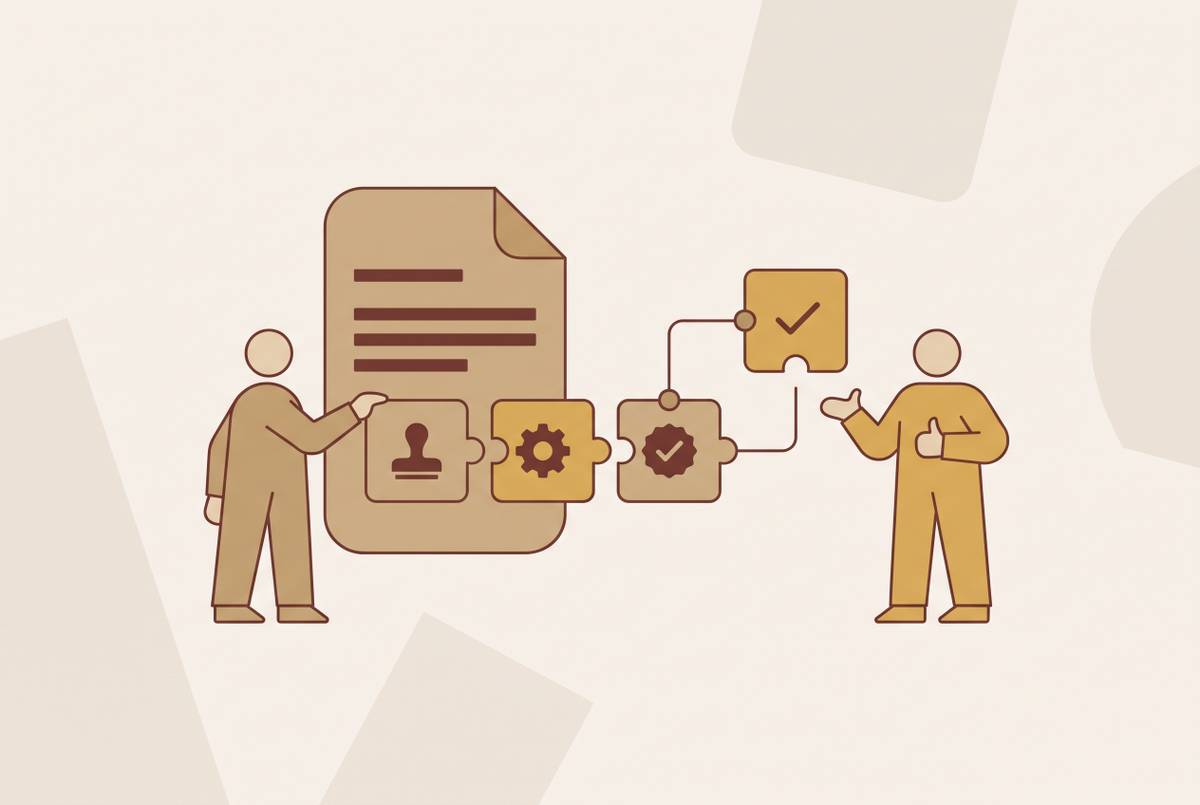
The workflow begins when an opportunity is created and qualified, with deal data populated in the CRM record. CPQ or Quote then finalizes pricing and line items. From the Opportunity record, the representative triggers “Generate Contract” without leaving Salesforce. This is the critical commercial handoff. Instead of reconstructing the accepted quote in a separate document, CLM merges its structured data into the appropriate pre-approved template.
Template selection follows the attributes of the deal, automating the choice of the right contract type. Entity names, pricing, and jurisdictional clauses come from the connected records and template logic. This cuts out the copy-and-paste step that leads to wrong names, stale prices, and missing clauses.
Configurable thresholds for deal size, non-standard clauses, discount depth, or counterparty type send the contract to the appropriate reviewer. Standard deals on approved templates can proceed with minimal legal review, while exceptions escalate automatically. The representative no longer has to coordinate every review by email.
Once approvals are complete, the agreement moves to e-signature within the workflow, and signing status appears in the CRM record in real time. Execution returns the signed agreement and structured metadata to CRM and connected systems. That return can update the opportunity stage, trigger billing or ERP handoffs, and create the post-signature obligation record.
What AI adds to each stage of the connected workflow
Rules-based automation determines which template to use and who should approve a contract. AI adds analysis to those steps. During drafting, it can suggest clause alternatives, flag deviations from approved playbooks, and populate metadata fields that would otherwise require manual extraction. During negotiation, AI-assisted review can identify risk clauses, compare counterparty language with internal standards, and provide contextual explanations for legal reviewers.
At execution, AI can extract obligations, renewal dates, pricing terms, and liability caps from the signed agreement. Those terms from PDFs become queryable across the repository. This expands the usefulness of the integration beyond the fields supplied during drafting. The final agreement may have commitments agreed during negotiation that account and revenue teams need after signature.
Docusign Intelligent Agreement Management, or IAM, embeds AI across the agreement lifecycle. Iris is the AI engine powering the platform, while Agreement Manager, formerly Navigator, provides an AI-powered agreement repository, and Maestro provides workflow automation. Together, these capabilities cover drafting, review, execution, and post-signature intelligence within one environment. The architectural distinction is important. Adding AI review to a single step improves that step, while a system built for teams to work with AI on agreements can bring information to light across the lifecycle.
Agentic capabilities require a more restrained assessment. AI agents currently handle narrow, well-defined processes such as standard NDAs, template-based sales contracts, and vendor onboarding, but do not reliably handle genuinely ambiguous or novel contract language. The practical evaluation should distinguish what runs in production from what remains in early access. For most teams, the near-term priority is reliable search, extraction, and summarization with answers a person can verify, before adding playbook-based review for specific contract types.
Post-signature: how the integration manages renewals, obligations, and revenue visibility
A signed agreement begins an obligation within an ongoing relationship. If the post-signature process is not connected, renewal dates and commitment schedules may sit outside the systems that account teams use to manage customers. Integration brings renewal windows, price escalation triggers, and obligation deadlines into the CRM record. The account owner gains visibility where the account is managed. Automated alerts weeks before a lapse provide time to initiate a new agreement before expiration.
Obligation tracking gives that visibility operational substance. AI-extracted service levels, payment milestones, and volume commitments become structured data that teams can monitor and report on. Teams can track these commitments without relying only on someone to reopen the agreement or keep a separate calendar. For account teams, the benefit is access to the terms that govern the relationship. For revenue operations, it is a usable record of commitments and dates across accounts.
When the same data returns to CRM and ERP, finance and revenue operations can see committed revenue, upcoming renewals, and pricing terms without requesting exports from legal. Forecasting draws on both the agreement’s terms and the opportunity record. The repository also gains strategic value as signed agreements accumulate. Patterns can reveal which terms receive the most redlines, which deal types close fastest, and which clauses correlate with disputes. Those patterns help teams draw on past agreements when they negotiate new ones.
What the integration changes for sales, legal, and revenue operations teams
For account executives, the change is primarily a reduction in coordination work. Contracts are generated inside the CRM, so no one has to move data by hand to a separate drafting system. Teams can see approval status and signing progress on the opportunity record, so they have less need to chase others in the business for updates. Sales can stay with the deal. Faster time to signature also shortens the period in which an opportunity can go cold during contract review.
For legal counsel, the change is from reviewing every document to governing the language and exceptions that require judgment. Clause libraries and pre-approved fallback language set out what sales can use without review each time. Automated routing brings non-standard terms and threshold-based exceptions to counsel, while standard agreements can proceed without escalation. Control does not require touching every contract. AI-assisted redline review cuts more of the routine work so counsel can spend more time on higher-value legal issues.
For revenue operations and finance, the change is a more direct connection between agreed terms and operating data. Pricing, committed terms, and renewal dates flow into CRM and ERP without anyone in legal having to export them by hand. Structured fields reduce the errors associated with typing contract information by hand, while renewal and obligation visibility reduces leakage from missed renewals and untracked commitments. These benefits depend on the operating model. The integration must support how each team works, rather than simply expose another interface to the same fragmented process.
What to evaluate when selecting a CRM-CLM integration for sales contract automation
Evaluation should begin with the data model. Check whether the CLM reads from and writes back to CRM objects natively or still depends on manual imports and exports. Bidirectional synchronization should cover structured obligations, renewal dates, and pricing terms as well as document status. A status update is not enough. CRM contains actionable agreement data when structured terms are synchronized, and merely a link to a document when they are not.
Workflow scope is the next test. Approval routing should be configurable by deal value, clause deviation, and counterparty type, with no-code or low-code controls that sales operations and legal can adjust as needs change. Evaluation should also establish whether reminders and escalations for approvals and renewals are built in or require custom development. Governance belongs in this assessment too. A centralized clause library, legal-controlled fallback language, templates maintainable without engineering support, and audit trails for versions, deviations, and approval decisions support automation without removing oversight.
AI assessment should separate lifecycle coverage from isolated demonstrations. Buyers should ask which tools for drafting, review, extraction, and post-signature work are generally available and which are still in early access or beta. Verifiable search, extraction, and summarization deserve priority before automated playbook enforcement. Repository design provides a related test. Teams should be able to search executed agreements by clause, obligation, and date, and see renewal and obligation data in CRM dashboards without building reports by hand.
Security and enforceability remain baseline requirements. E-signatures must be legally enforceable in the jurisdictions where the organization works, and enterprise governance needs audit logs, role-based access, and SOC 2 / ISO compliance. For EU operations, buyers should also check the AI Act’s expectations for transparency and governance without assuming that most CLM tools fall under its full high-risk regime.
These criteria provide the basis for assessing platforms such as Docusign IAM against the organization’s actual workflow.